Create a Knowledge Base
Knowledge Base is a repository of custom knowledge that can be used to empower the AI tools like Chatbot, Data Warehouse Intelligence, etc. in Gathr.
Steps to Create a Knowledge Base
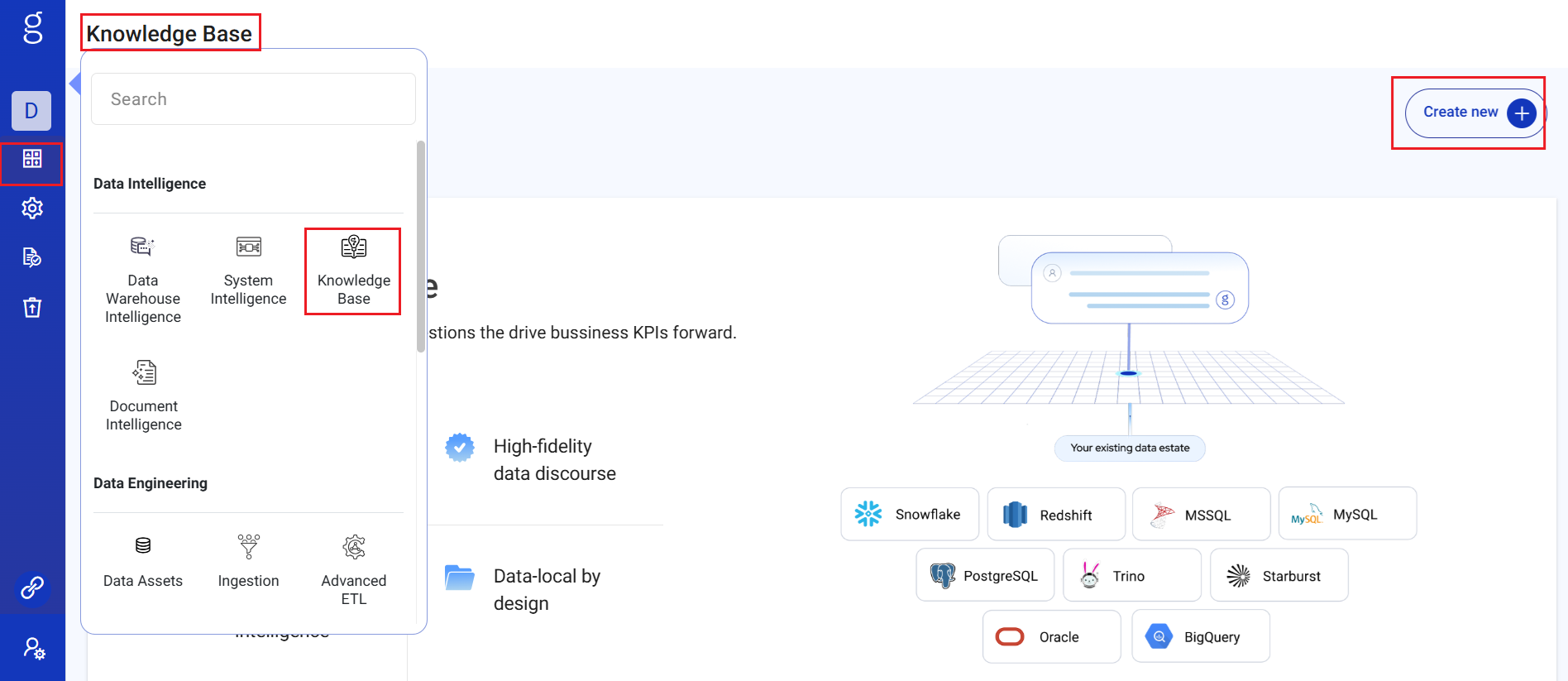
Navigate to Knowledge Base
- Go to the Knowledge Base section from the main menu.
Create New App
- Click on the
Create new appbutton.
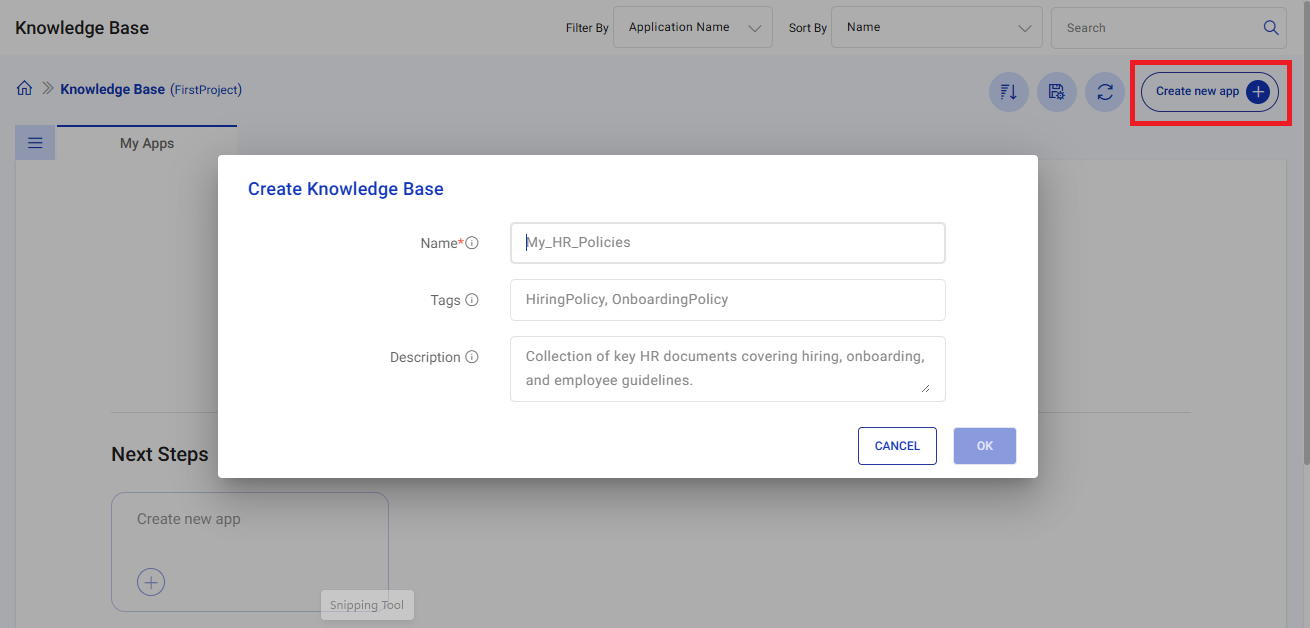
Fill in the details:
Name: Enter a unique name for your knowledge base.
Tags: Add relevant tags for easy search and categorization.
Description: Provide a brief description of the knowledge base purpose.
- Click on the
Proceed to Connect Content Source
- Select and configure your data source. See Connecting Content Sources →
You can edit or update the knowledge base details from the knowledge base listing page.
If you have any feedback on Gathr documentation, please email us!