View Users Access
Navigate to the Applications > Data Intelligence > Knowledge Base.
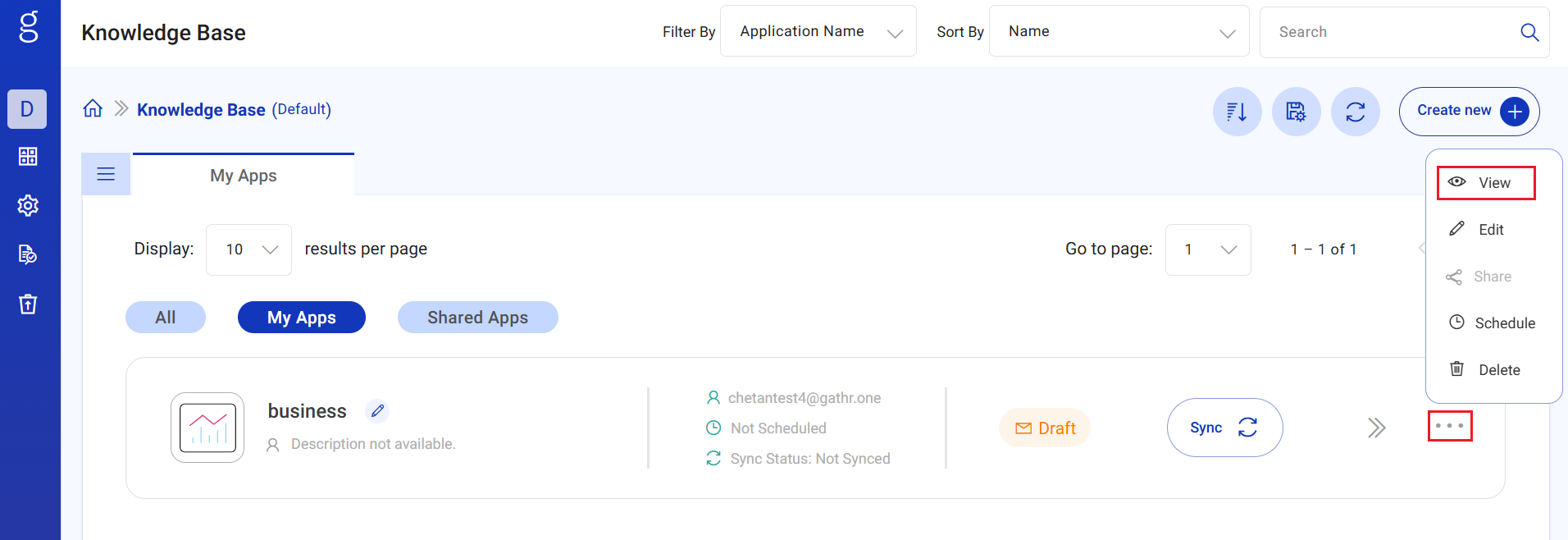
Click ellipses option available on the existing app to View details of the appication.
Details
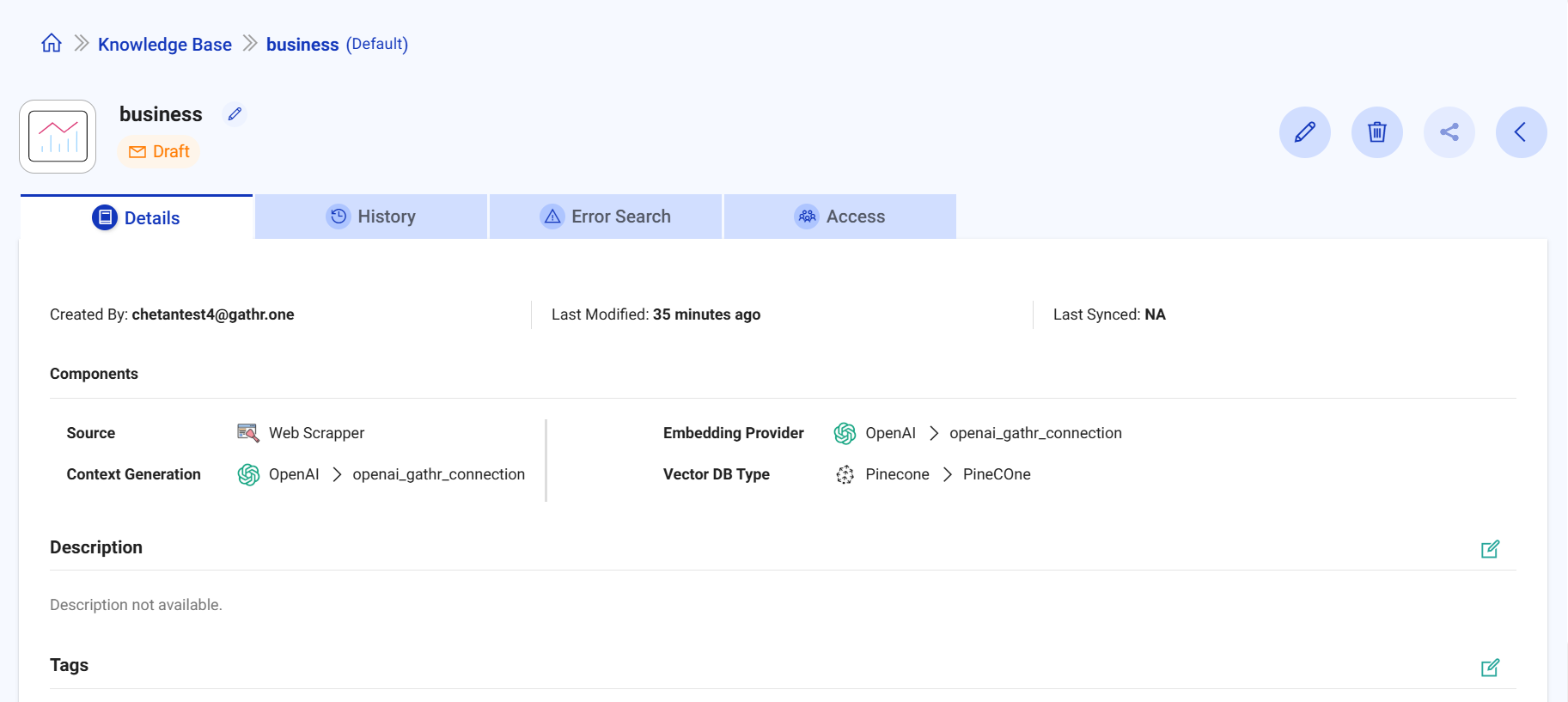
The details of the created Knowledge Base application is listed under the Details tab.
You can view details like: Created By, Last Modified, Last Synced, Components (Source, Context Generation, Embedding Provider, Vector DB Type).
Option to edit Description and Tags are available.
History
Details include Status, Start Time, Sync Duration, Total Artifacts Read, Total Artifacts Failed, Actions are avaiable.
Error Search
The error details (if any) are available under the tab.
Access
See users who have access to the Data Warehouse Intelligence application along with their permission levels.
User: Lists the users who have access to the application.
Shared On: Shows the date and time when access was granted to each user.
Permissions: Displays the user’s level of access:
Can View: User can only view and interact with the application.
Can Edit: User has permission to modify the application configuration.
If you have any feedback on Gathr documentation, please email us!