User Profile
View and manage your account details, license information, and authentication tokens.
To access the User Profile, click the user icon in the bottom-left corner of the navigation panel. Here, you can select User Profile.
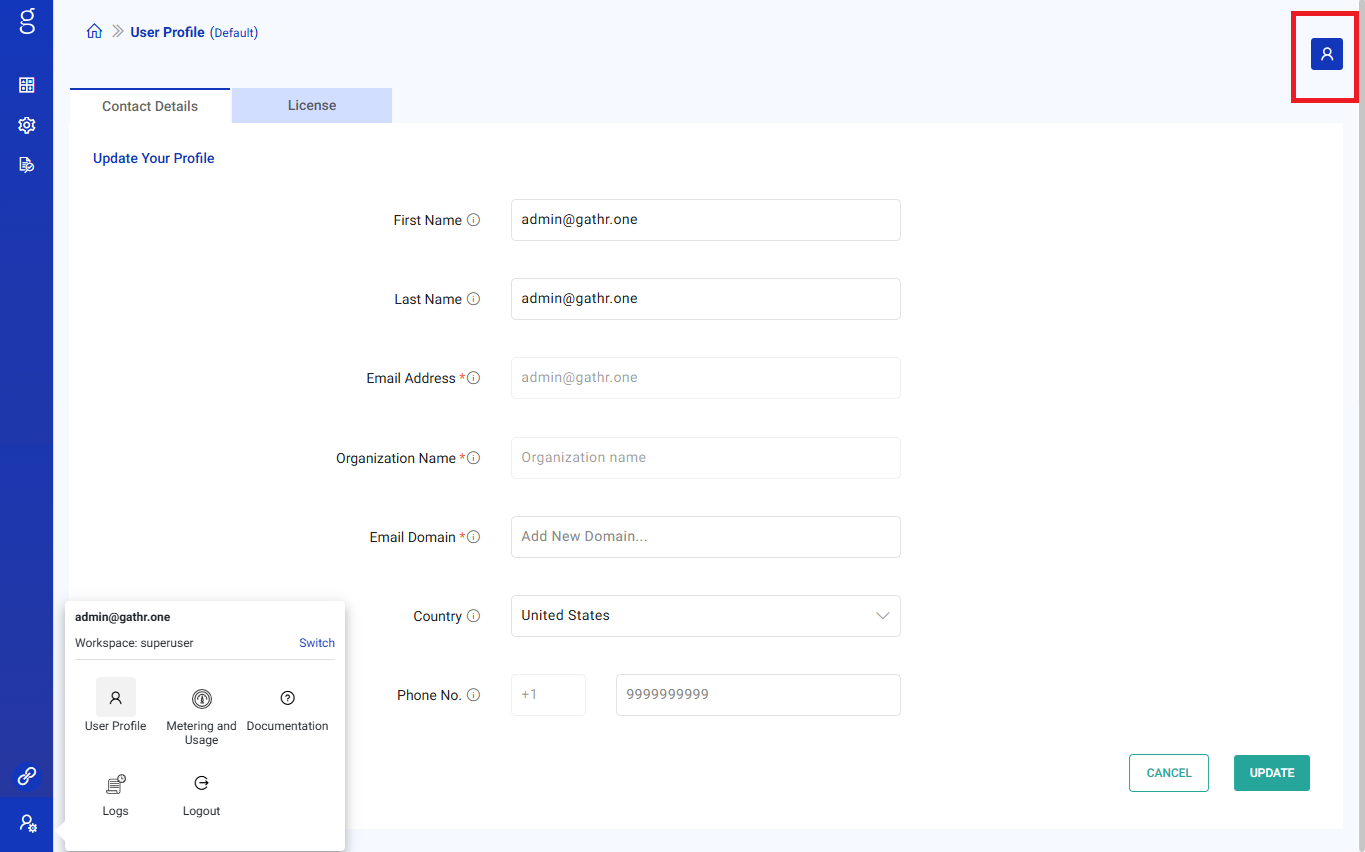
Contact Details
The Contact Details tab displays your profile information, including:
First Name
Last Name
Email Address (non-editable)
Organization Name (non-editable)
Email Domain
Country
Phone Number
You can update editable fields and click UPDATE to save changes.
License Tab
The License tab displays your license details and allows you to upload a new license file.
Viewing License Details
License Owner
Email
Version
License Type
Start Date
Expiration Date
Max Cores
Grace Period
Analytics Enabled
Lifetime Credits
Metering Enabled
Supported Vendors
Upload a License
- Click Upload License.
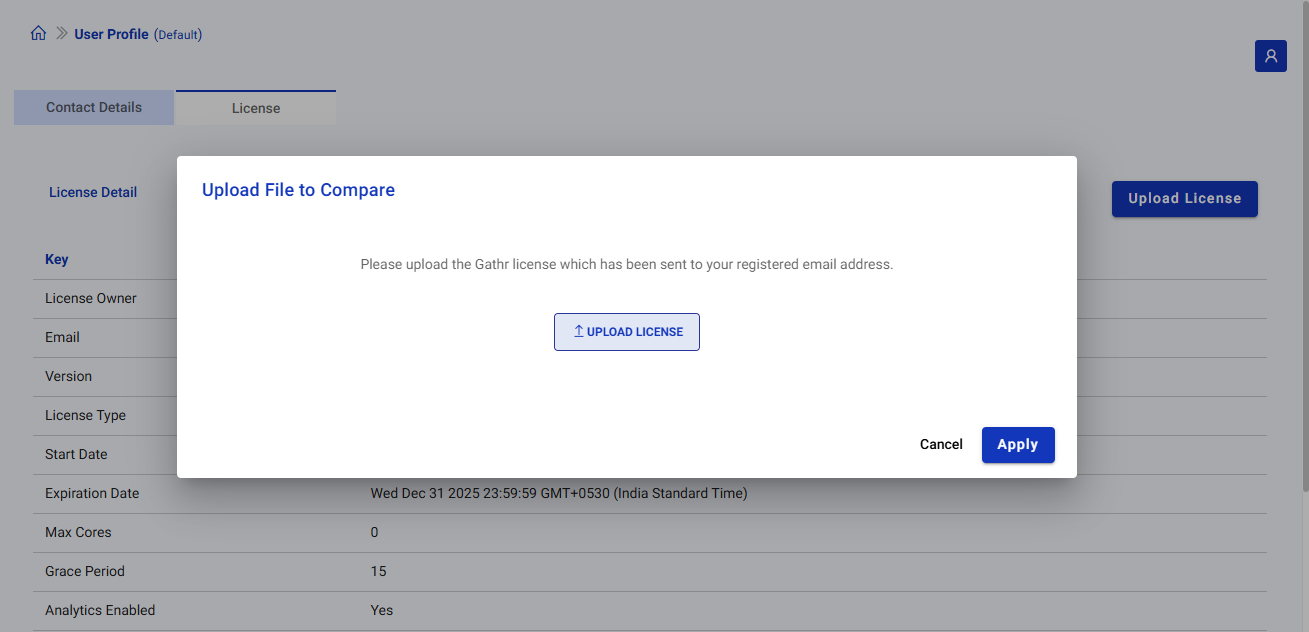
In the pop-up, click Upload License and upload the license file.
Click Apply to update your license.
Superuser Token
On top of the the User Profile page, you can view your authentication token (partially masked for security).

Options include:
Copy Token: Click the copy icon to copy the token to your clipboard.
Generate Token: Click the key icon to generate a new token.
If you have any feedback on Gathr documentation, please email us!